
Screenshots
App details
- Updated
- Dec 29, 2011
- Language
- English
- Developer
- Accmeware Corporation
- Category
- Mobile
SoftPas in:
This product is also available in the following languages:
About Accord CD Ripper
Download Accord CD Ripper – CD ripper, audio extraction, digital music, music library, CDDB integration, WAV, MP3
Overview
Accord CD Ripper is a specialized tool designed for users seeking to digitize physical music collections stored on CDs. The application enables the efficient extraction of audio tracks from optical discs, converting them into digital formats such as WAV or MP3. This functionality makes it particularly useful for preserving music libraries, creating portable music collections, and ensuring long-term access to audio content. The app addresses the common challenge of transitioning from analog or physical media to modern digital formats, which is increasingly important as CD drives become less common in newer devices.
Target users include music enthusiasts, collectors, and individuals looking to organize and back up their CD-based music. The application’s lightweight design and user-friendly interface make it accessible to both beginners and experienced users, reducing the technical barrier often associated with audio ripping. While the developer did not provide additional background information, the app’s focus on core functionality suggests a dedicated approach to audio extraction without unnecessary bloat.
Real-world use cases include backing up rare or aging CDs, transferring music to portable devices, and creating digital archives. In the broader app ecosystem, Accord CD Ripper fills a niche for dedicated audio tools, offering a streamlined alternative to more complex multimedia software. Its integration with CDDB servers enhances the value of the digital output by providing metadata such as album titles, artist names, and track listings, contributing to a more organized and professional music library.
Key Features & Functionality
- Fast Ripping Process: Accord CD Ripper performs audio extraction without creating temporary files, which reduces disk usage and speeds up the overall process. This allows users to convert entire CDs quickly, minimizing waiting time and improving workflow efficiency.
- CDDB Integration: The application connects to CDDB servers to automatically retrieve and display album information. Users can review, edit, and save metadata alongside the ripped audio files, ensuring accurate and consistent library organization.
- Intuitive Interface: The design emphasizes simplicity and clarity, guiding users through each step of the ripping process. Even those unfamiliar with digital audio tools can navigate the app with ease, making it ideal for non-technical users.
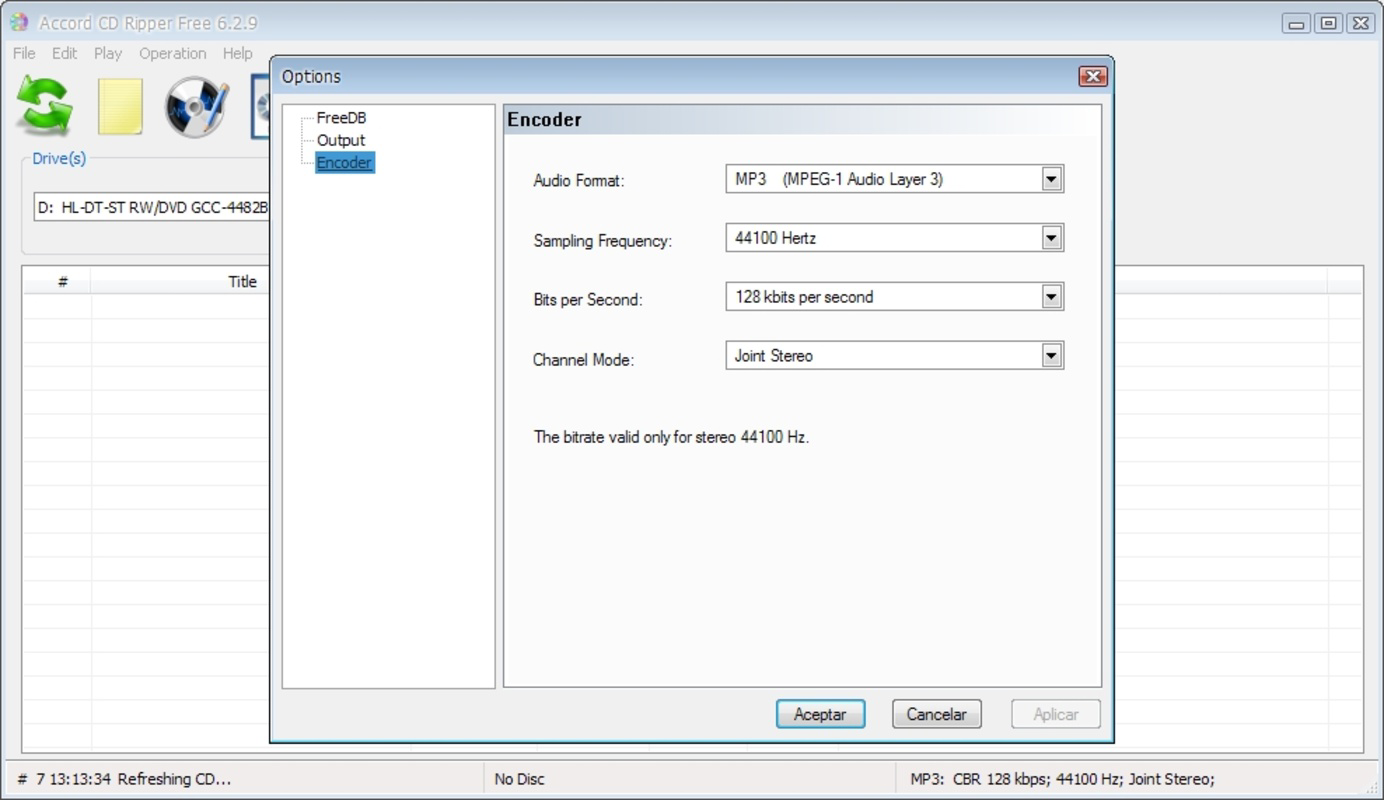
- Flexible File Formats: Users can choose between WAV and MP3 formats during the ripping process. WAV offers lossless audio quality, while MP3 provides smaller file sizes, allowing users to balance quality and storage based on their preferences and device compatibility.
- Lightweight Application: At just 2.2 MB, the app consumes minimal system resources. This makes it suitable for older machines or systems with limited storage, ensuring smooth performance without impacting other tasks.
For example, a user with a collection of vintage CDs can use the app to rip entire albums in under 10 minutes, automatically populate metadata, and save the files in MP3 format for easy transfer to a smartphone. Another scenario involves a collector preserving rare vinyl-CD hybrids by digitizing the audio content while maintaining accurate track details.
Interface, UX & Performance
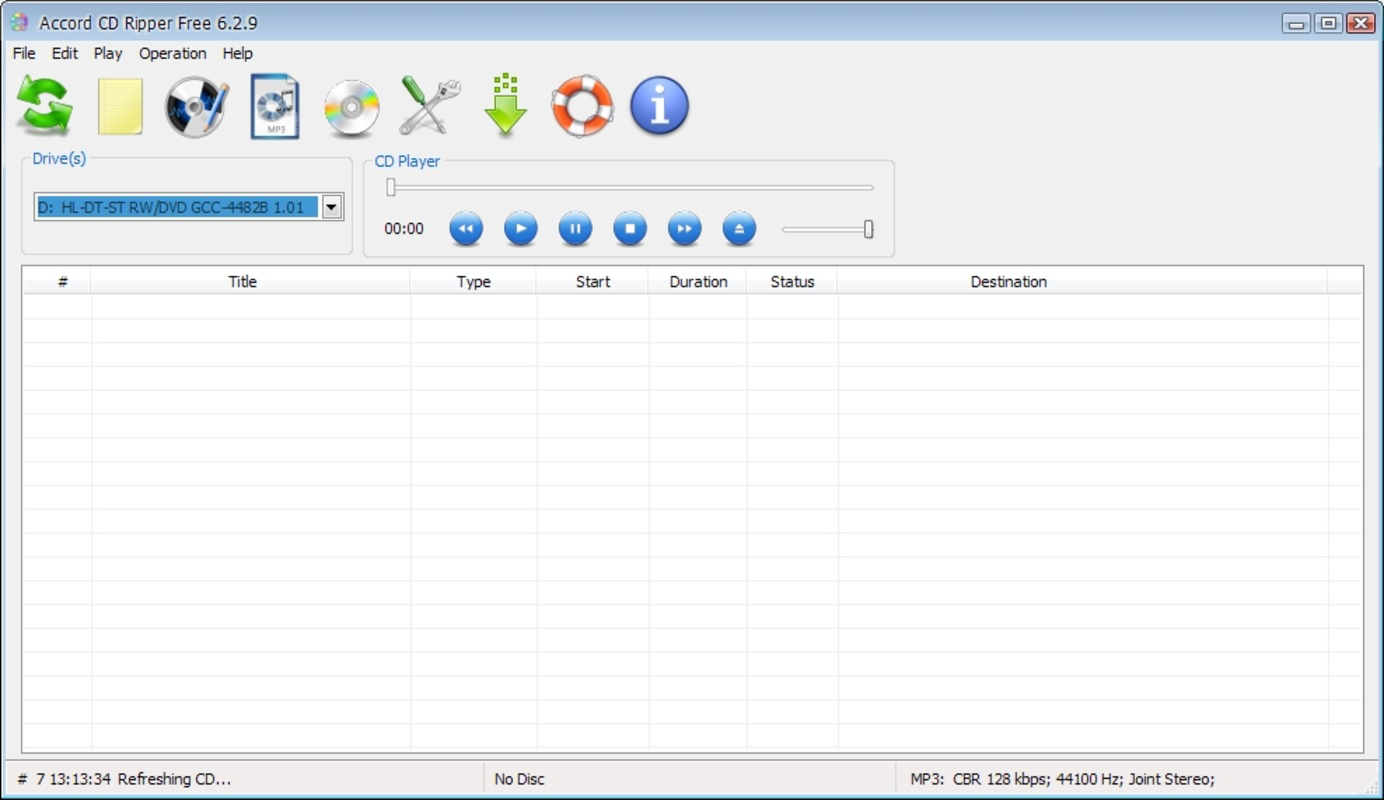
Accord CD Ripper features a clean, straightforward interface that prioritizes functionality over visual complexity. The layout is minimal, with clearly labeled buttons and a logical flow from disc insertion to file export. Navigation is intuitive, allowing users to initiate ripping with a single click after selecting their preferred format and metadata options.
The visual style is functional and unobtrusive, focusing on usability rather than decorative elements. This approach enhances accessibility, particularly for users who prefer efficiency over aesthetics. Although the developer did not list formal performance metrics, the app’s lightweight nature suggests consistent responsiveness across different hardware configurations.
Users can expect stable operation during the ripping process, with minimal risk of crashes or freezes. The absence of temporary files contributes to system stability and reduces the likelihood of errors due to disk write failures. While specific device compatibility details were not disclosed, the application’s small size and low resource usage indicate broad compatibility with standard Windows systems.
Platform Compatibility & Technical Requirements
Accord CD Ripper is designed for the Windows platform and requires a compatible CD drive to function. The software version is 1.0.0.0, with a file size of 2.2 MB, making it highly portable and easy to install on systems with limited storage. The developer did not specify minimum OS requirements, nor did they list supported Windows versions.
Given its release date of December 29, 2011, the app is likely compatible with older Windows systems such as Windows XP, Vista, or 7. However, users of newer operating systems should verify compatibility through official channels or testing. The lack of updated technical specifications may affect performance on modern systems, particularly those without physical CD drives or with different driver architectures.
Pros and Cons
Pros
- Lightweight and efficient, consuming minimal system resources
- Fast ripping without temporary file creation
- CDDB integration for automatic album metadata retrieval
- Supports both WAV and MP3 output formats
- Simple, intuitive interface suitable for beginners
Cons
- Platform limited to Windows; no support for macOS or mobile devices
- Developer did not provide OS compatibility details
- Outdated release date may affect modern system integration
- No built-in audio editing or tagging tools beyond CDDB
- Free version may lack advanced features or updates
FAQ
Is Accord CD Ripper safe to download and use?
The app is free and available for download, but users should ensure they obtain it from a trusted source to avoid potential security risks. As with any software, scanning the file with antivirus tools is recommended.
Can I use Accord CD Ripper on a modern Windows PC?
While the app was released in 2011, its lightweight design suggests it may still run on modern Windows systems. However, compatibility depends on the specific OS version and the presence of a functional CD drive.
Does Accord CD Ripper support other audio formats besides WAV and MP3?
Based on the provided information, the app only supports WAV and MP3 formats. No additional output formats were listed.
Is the app updated regularly?
The developer did not provide information about update frequency. The last known release was in 2011, which may indicate limited or no ongoing development.
Can I edit the metadata after ripping the tracks?
Yes, the CDDB integration allows users to view, edit, and save metadata such as artist, album, and track titles directly within the application.
Final Thoughts
Accord CD Ripper remains a reliable tool for users aiming to digitize their CD collections with minimal effort. Its focus on speed, simplicity, and efficient resource use makes it a practical choice for both casual users and dedicated music archivists. While its age and platform limitations are notable, the app continues to deliver core functionality effectively. For anyone with a CD drive and a desire to preserve their music in digital form, this lightweight utility offers a straightforward solution.
Download Accord CD Ripper now
Guides & Tutorials
How to install Accord CD Ripper
- Click the Download button above.
- Once redirected, accept the terms and click Install.
- Wait for the Accord CD Ripper download to finish on your device.
How to use Accord CD Ripper
This software is primarily used for its core features described above. Open the app after installation to explore its capabilities.
User Reviews
No reviews yet. Be the first to share your experience.
You may also like
more
Que no te pillen¡
About !Que no te pillen¡Reviewed by Jason A. BilbreyShow MoreShow Less

3D Combat Zone
About 3D Combat ZoneOriginally released in 1983, 3D Combat Zone immerses players...

666: El día del portal
About 666: El día del portalOn June 6, 2006, Agent P. Stone uncovers a sinister...

80 in 1 Best Flash games
About 80 in 1 Best Flash games 80 in 1 Best Flash games is a collection of 80 fl...

ABYSS SEEKERーーWhat Do You See Deep in The Abyss
About ABYSS SEEKERーーWhat Do You See Deep in The AbyssIn ABYSS SEEKER, players...

ACA NEOGEO THE KING OF FIGHTERS 2002 for Windows
About ACA NEOGEO THE KING OF FIGHTERS 2002 for WindowsTHE KING OF FIGHTERS 2002,...